
Free AI slide maker
Give your AI a proper presentation canvas.
Build slides with HTML, CSS and JavaScript. Edit them visually. Export to PowerPoint when reality requires it.
Free. No account. Your decks stay in your browser.
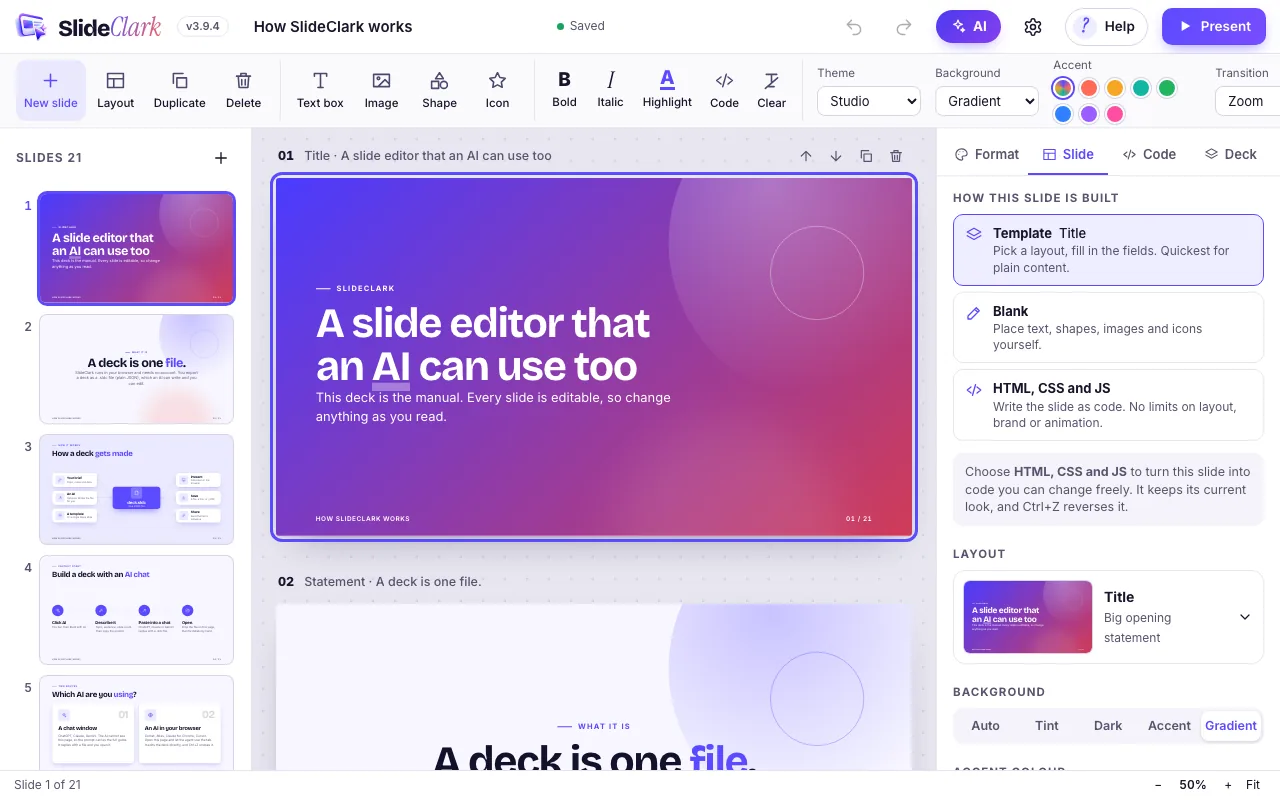
How SlideClark works
Brief your AI
Copy a ready-made prompt from SlideClark into ChatGPT, Claude, Gemini or any assistant that writes text. The prompt carries the complete deck specification, so the AI does not have to guess the format.
Open what it writes
The AI replies with a .sldc deck file, or one block of JSON. Drop it onto SlideClark. Everything is checked as it comes in, and anything invalid is corrected or reported.
Edit, present, export
Click any text or shape to change it. Present full screen with speaker notes, save as PDF, or export a PowerPoint file that you can keep editing.
A canvas an AI can use
SlideClark gives an AI a defined canvas: a 1280 by 720 slide that it can fill with ready-made layouts, with text, shapes and images placed by coordinates, or with its own HTML, CSS and JavaScript. You then edit the result with the mouse.
The AI is not locked in. SlideClark never calls an AI service itself, so you can use whichever assistant is best this month and change next month.
Any AI, no lock-in
Use ChatGPT, Claude, Gemini or an agent in your browser. SlideClark has no model of its own, no API key and no per-slide charge.
HTML, CSS and JavaScript slides
When the design matters, an AI can write a slide as code: diagrams, animation, canvas, interactive demos and exact brand styling, in a sandbox.
Visual editing
Click, drag, resize and restyle. Slides an AI wrote as HTML can be moved, resized and retyped by hand, with no code.
Editable PowerPoint export
Text stays text and shapes stay shapes. Speaker notes and links come across. Charts and icons arrive as pictures, and animations are not carried over.
Present and share
Full-screen presenter with speaker notes and transitions, PDF output, and share links that contain the whole deck.
Private by default
No account. Decks are kept in your browser and are never uploaded. SlideClark does not call any AI service.
Presentation software for AI agents
SlideClark publishes a complete deck guide and a JSON Schema for machines, generated from the same code the editor runs. A browser agent can edit the open deck through a documented JavaScript API. Every call is validated and can be undone with Ctrl+Z.
Guides: use SlideClark with your tools
Questions
Is SlideClark free?
Yes. SlideClark is free to use and needs no account.
Which AI does it use?
None of its own. You write a brief, copy the prompt SlideClark gives you into the assistant you already use, and open the file it returns. An AI that can run JavaScript in your browser can also edit the open deck directly.
Where are my slides stored?
In your browser, on your device. Nothing is uploaded. Back a deck up by saving the .sldc file, or share it as a file or a link that contains the deck.
Can I open PowerPoint files?
Yes. A .pptx file opens as editable HTML slides, with text, shapes, pictures, tables and simple charts positioned as in the original.
What happened to Pitchcraft?
SlideClark is the new name of Pitchcraft. Old .pitchcraft files still open, and the old address redirects here.
Open SlideClark and try it with your own AI
Free. No account. Decks stay in your browser.